
How to Choose the Right Digital Signage Hardware for Your Business
Selecting the right digital signage hardware doesn’t have to be a headache.
Whether you’re showing off restaurant menus, retail specials, employee updates, or lobby announcements, the best hardware really depends on how and where you’ll use your screens- not just on buying the fanciest equipment.
For many small businesses, your current TV and an affordable media player might be all you need to get started. And as your business grows, you can always upgrade to commercial screens or specialty hardware; no need to switch up your signage software.
This guide breaks down the key hardware pieces and helps you find the setup that actually makes sense for your business.

What Hardware Do You Need?
Most digital signage systems include four basic components:
- A display (TV or commercial screen)
- A media player (if needed)
- Digital signage software
- An internet connection
The exact hardware depends on your business goals, operating hours, and installation environment.
Step 1: Choose the Right Display
The display is the foundation of your digital signage system.
Consumer TVs
Consumer TVs are often the best choice for:
- Restaurants
- Coffee shops
- Retail stores
- Offices
- Waiting rooms
- Small businesses
Advantages:
- Lower cost
- Easy to purchase
- Great picture quality
- Ideal for indoor use
Most are designed for approximately 4–8 hours of daily use.

Commercial Displays
Commercial displays are built specifically for business environments.
Advantages:
- 16/7 or 24/7 operation
- Higher brightness
- Better heat management
- Commercial warranty
- Portrait or landscape mounting
- Reduced risk of image retention
Commercial displays are a good investment if your screens operate continuously or are installed in demanding environments.

Step 2: Consider Your Environment
Where your display is installed matters just as much as the display itself.
Indoor Displays
Most indoor businesses only need a display with:
- 300–500 nits
- Standard commercial or consumer TV
- Normal indoor operating conditions
Ideal for:
- Offices
- Restaurants
- Clinics
- Retail stores
- Reception areas
Bright Storefront Windows
If your screen faces direct sunlight, choose a high-brightness display.
Look for approximately:
- 700+ nits
This helps prevent content from appearing washed out.
Outdoor Displays
Outdoor digital signage requires specialized hardware.
Look for:
- Weather-resistant enclosures
- IP-rated protection
- Ultra-high brightness (1,500–3,000+ nits)
- Wide operating temperature range
Outdoor displays are designed to remain visible and reliable in rain, dust, heat, and direct sunlight.

Step 3: Do You Need a Media Player?
A media player is the device that runs your digital signage software and displays content on your screen.
Smart TVs with Built-In Apps
Many commercial Smart TVs include built-in operating systems such as:
- Samsung Tizen
- LG webOS
- Android
These can often run compatible digital signage software without requiring an external player.
Best for:
- Images
- Videos
- Menus
- Announcements

Streaming Devices
Affordable devices such as:
- Amazon Fire TV Stick
- Google TV Streamer
- Android TV devices
are great options for many small businesses.
They’re inexpensive, easy to install, and work well with cloud-based digital signage software.
Dedicated Commercial Media Players
Choose a dedicated media player when you need:
- Interactive touchscreens
- Wayfinding
- Video walls
- Complex layouts
- Continuous commercial operation
- Advanced remote management
These devices provide higher processing power and long-term reliability.

Step 4: Special Hardware for Advanced Applications
Some digital signage deployments require specialized equipment.
Touchscreens and Interactive Kiosks
Ideal for:
- Self-service kiosks
- Product catalogs
- Visitor check-in
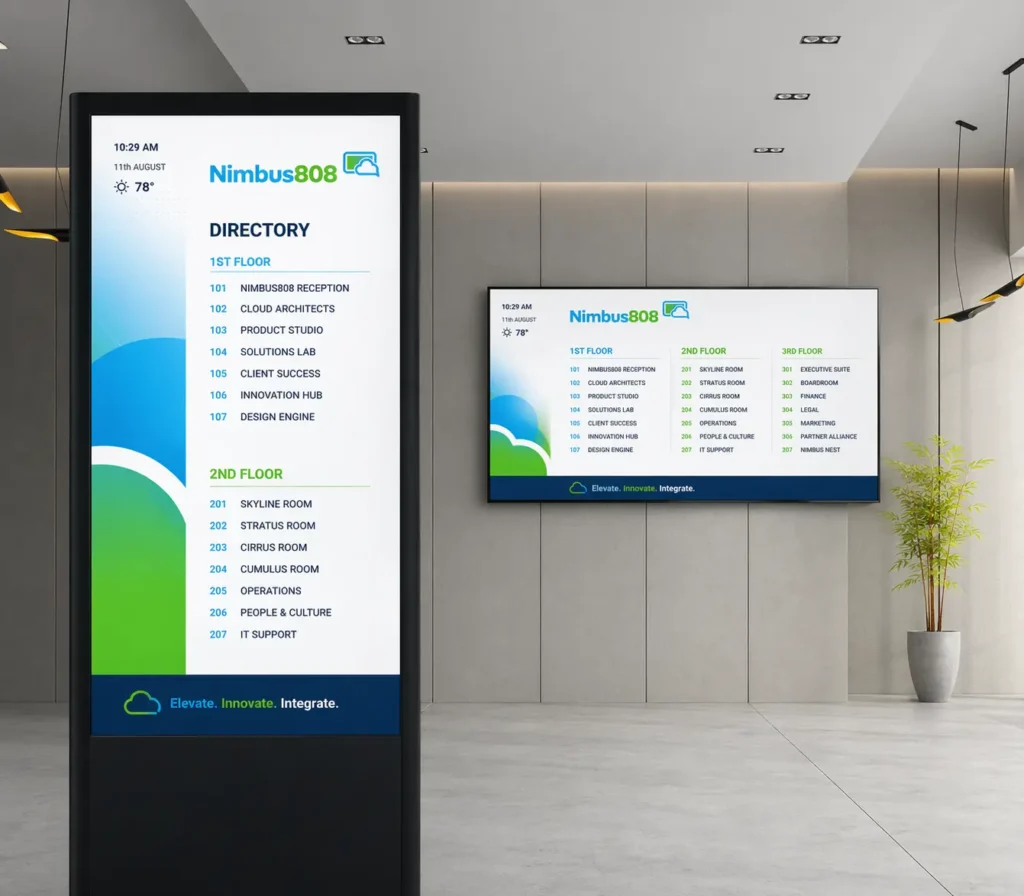
- Directories
Look for:
- Multi-touch displays
- Compatible media players
- Durable commercial hardware
Video Walls
Video walls combine multiple displays into one large visual experience.
They typically require:
- Ultra-narrow bezel displays
- Specialized mounts
- Video wall controllers
- High-performance media players

E-Paper Displays
For content that changes infrequently, e-paper displays offer an energy-efficient solution.
They’re commonly used for:
- Meeting room signs
- Shelf labels
- Price tags
- Office directories
Because they consume very little power, they’re ideal for static information.

Recommended Hardware by Business Type
| Business | Recommended Hardware |
|---|---|
| Restaurant | Consumer TV or commercial display + Fire TV Stick or built-in app |
| Retail Store | Consumer TV or commercial display + media player |
| Office | Existing TV + cloud-based signage software |
| Healthcare | Commercial display for longer operating hours |
| Manufacturing | Commercial display with higher brightness and durability |
| Hotel | Commercial display + media player |
| House of Worship | Consumer TV or projector with media player |
Which Hardware Is Right for Your Business?
Picking the right digital signage hardware doesn’t have to be complicated. The best setup is all about your goals, your space, how long your screens are on, and your budget; it’s not just about having the latest or most expensive gear.
For a lot of small businesses, you can get started with just a TV you already have, some cloud-based signage software, and an affordable media player. This simple setup is usually the most budget-friendly way to show menus, promotions, announcements, or employee updates. When your business grows, it’s easy to upgrade to commercial displays, brighter screens, a dedicated media player, or other specialized hardware, all without having to switch up your software.
Start with what you have. Choose what fits your needs right now, and only upgrade when you really need more performance, reliability, or room to grow. The best digital signage hardware is the one that works for your business today and gives you room to grow tomorrow.
