
Commercial Display vs. Consumer TV: Which Is Better for Digital Signage?
If you’re planning to use digital signage, one of your first big decisions is picking the right display. Should you buy a commercial display made for businesses, or can you just use the TV you already have? The answer really depends on how—and where—you’ll use it.
For lots of restaurants, shops, offices, waiting rooms, and small businesses, a regular TV works just fine. But if your display is on all day, sits in direct sunlight, or needs to handle a tough commercial environment, a commercial display might be a smarter long-term investment.
In this guide, we’ll break down both options and help you pick the best display for your business.

What’s the Difference?
At first glance, consumer TVs and commercial displays look a lot alike. Both can show videos, images, menus, and announcements. But the biggest difference isn’t picture quality; it’s how they’re built. Consumer TVs are made for home entertainment and occasional use. Commercial displays are built for businesses that need longer hours, higher brightness, and rock-solid reliability.
Consumer TV vs. Commercial Display
| Feature | Consumer TV | Commercial Display |
|---|---|---|
| Designed For | Home | Business |
| Daily Operation | 4–8 hours | 16/7 or 24/7 |
| Brightness | Standard | High brightness |
| Portrait Orientation | Usually not supported | Supported |
| Warranty | Residential | Commercial |
| Built-in Business Features | Limited | Often included |
| Price | Lower | Higher |
Commercial displays are typically designed for extended operating hours and brighter environments, while consumer TVs prioritize affordability for home use.
Brightness
Brightness is measured in nits.
Typical ranges include:
- Consumer TV: approximately 250–350 nits
- Commercial Display: approximately 450–2,500+ nits
If your screen is near a storefront window or in a brightly lit space, the additional brightness of a commercial display can make content much easier to read. For indoor environments with controlled lighting, a consumer TV is often sufficient.

Durability
Consumer TVs are designed for a few hours of daily viewing.
Commercial displays are built for continuous operation.
They often include:
- Improved cooling
- Longer component life
- Better heat management
- Designed for 16/7 or 24/7 use
If your display runs all day, every day, investing in commercial hardware may help extend its lifespan.

Orientation
Most consumer TVs are intended to be mounted horizontally.
Commercial displays are designed for both:
- Landscape
- Portrait
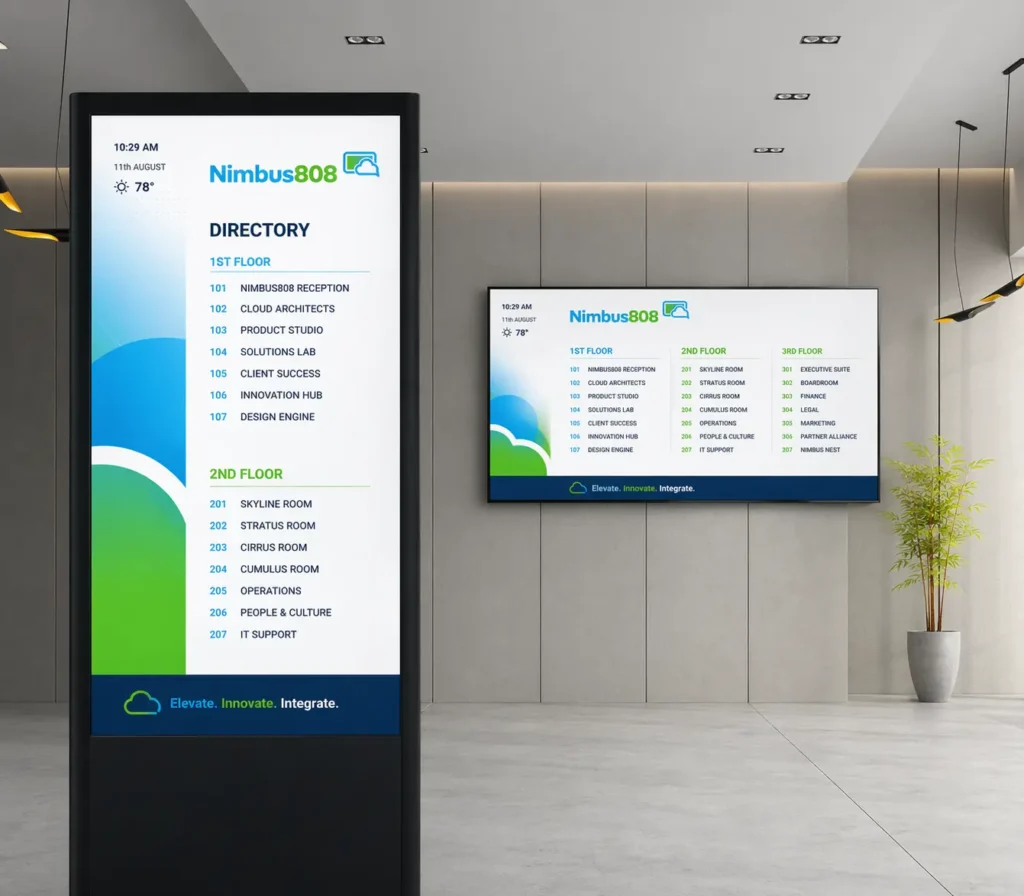
Portrait displays are especially popular for:
- Digital menu boards
- Wayfinding
- Retail promotions
- Directories
Warranty
One of the biggest differences is warranty coverage. Consumer TVs generally include a residential warranty.
Commercial displays typically include:
- Longer warranty periods
- Commercial use coverage
- Advanced replacement or on-site service (depending on the manufacturer)
If your display is part of your daily business operations, this additional protection can be valuable.

Price
One of the biggest advantages of a consumer TV is its lower upfront cost. Consumer TVs typically cost 30% to 60% less than commercial displays, making them an affordable option for small businesses.
If you’re opening your first café, retail store, office, or clinic, using a quality TV you already own can significantly reduce your startup costs. Instead of investing in new hardware, your budget may be better spent on digital signage software and creating engaging content.
While commercial displays offer longer lifespans, commercial warranties, and greater reliability for demanding environments, many small businesses don’t need those features right away. Start with the hardware you have and upgrade when your business needs it.

When a Consumer TV Makes Sense
A consumer TV is often the right choice if you:
- Already own a compatible TV
- Operate indoors
- Run your display for a few hours each day
- Want the lowest startup cost
- Are launching your first digital signage project
Many small businesses successfully use consumer TVs for menus, promotions, employee communication, waiting rooms, and office announcements.
When You Should Choose a Commercial Display
A commercial display is worth considering if you:
- Operate 16 or more hours a day
- Need 24/7 operation
- Install screens in bright storefronts
- Require portrait orientation
- Manage multiple high-traffic locations
- Need a commercial warranty
- Want the longest possible hardware lifespan
Which Is Better for Small Businesses?
For most small businesses, there isn’t a one-size-fits-all answer.
For many small businesses, starting with a consumer TV is the quickest and most budget-friendly way to try digital signage. If your screens are indoors and only on for a few hours each day, a good-quality TV can easily handle menus, promotions, announcements, and employee messages.
As your business grows, or if your screens need to run all day, operate in bright spaces, or require extra reliability, you can always upgrade to commercial displays without changing your signage software.
Start with what you already have, and only upgrade when it truly makes sense for your business. The best solution fits your budget now and gives you room to grow later.
