

Device Types
Manage and monitor device properties and connection status.
Any device that supports MQTT client can be connected to a Nimbus808 project
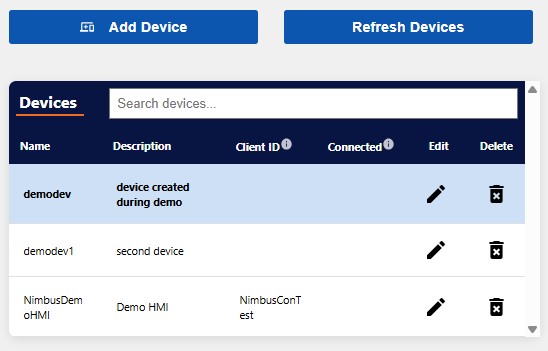
The Devices table shows all devices added to the dashboard. Devices are the physical hardware that powers your system, like PLCs or remote sensors.
When adding a device, you’ll be presented with a Add Device table to enter a name for the device, add a description, and assign a Client ID number. Connected devices can be assigned to different projects within the program.
Once the device is added to Nimbus808, it will be listed in a Devices table. The Device table is your access point to edit, delete, and monitor connected devices.
Any device that supports MQTT client can be connected to a Nimbus808 project, this includes PLCs, cameras, sensors, and industrial gateway products designed to act as protocol converters. Once connected devices are set-up, Nimbus808 acts as a broker and will push the data to a dashboard. The dashboard can be accessed by anyone with the URL and login/security access.
Industrial gateways, like Maple Systems’ cMT-G01 supports 400+ protocols and will convert your existing PLC communication protocol into MQTT allowing you to access the IoT with any (almost) device.